Connect · the card and the record
The card you hand over,
and the memory you keep.
Obsidian — the work card: Ananya Rao, Head of Partnerships, Meridian Labs
One account, three cards. work — Ananya Rao, Meridian Labs, on obsidian.
A digital business card that is never out of date, and a quiet record of everyone you have met, what they do, where you met, and what you promised to do next.
- Five cards live, free forever
- No app needed to receive a card
- Nothing is shared with a CRM unless you send it
Making one
A card, made in about a minute.
Four lines typed, a material picked, and it is live at a permanent web address. Nothing to design, nothing to print, and nothing for the other person to install.
- 0:00New cardCards, then the one button on the row. There is no template gallery to get lost in.
- 0:10Name, title, companyThe three lines that go across the middle of the card, typed once.
- 0:25Only the numbers you want on itA card for a conference does not have to carry your mobile. Each card decides for itself.
- 0:40Pick a materialObsidian, gold or platinum. Same details, three surfaces, and you can change your mind later.
- 0:55It is liveA permanent web address, and the QR printed on the front of the card is that address.
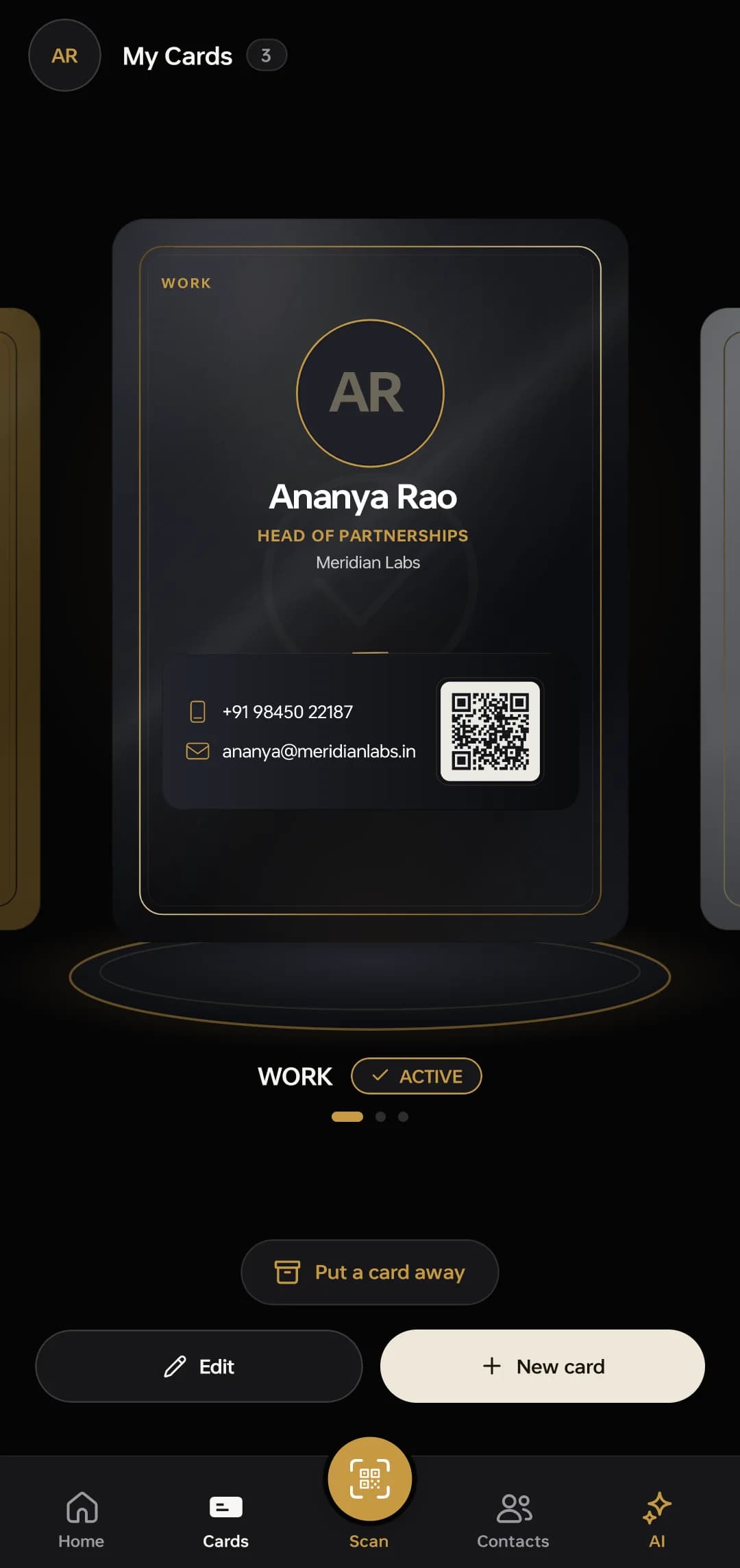
The finished card · work · obsidian · active
Three ways out of the phone, one card behind all of them. The QR on the card front, a share link, or an NFC tag they tap. The person receiving it installs nothing and signs up for nothing — it opens in their browser. Edit your title once and every link you have ever handed out is already right.
This is what they open. objectivedone.com/t/kpga4fbj is a live card, served by this site. Pause a card in the app and its link stops resolving until you turn it back on.
The scanner
Point it at a paper card.
Get a contact.
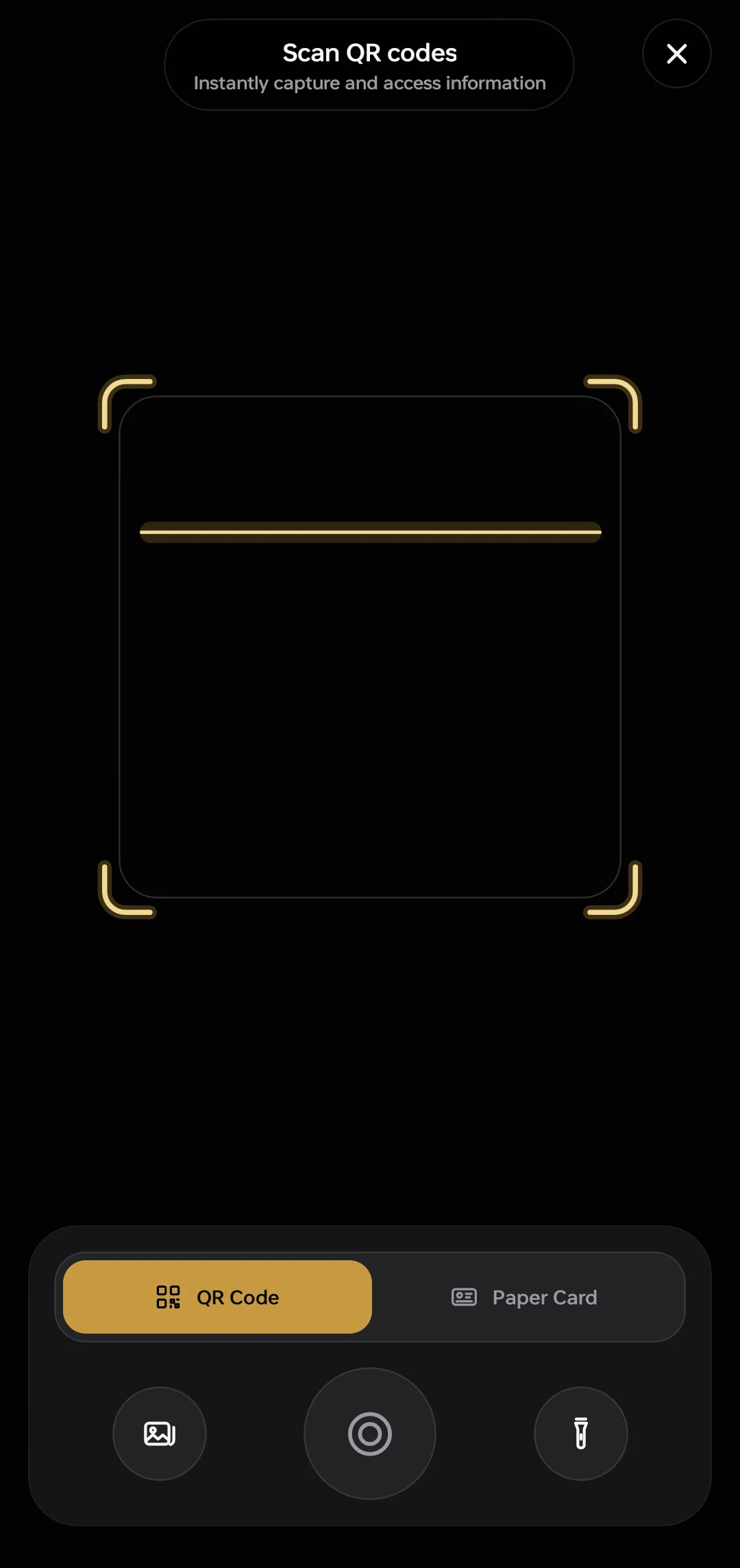
Paper has not gone anywhere, and retyping a card into a phone is how a good introduction becomes a photograph nobody opens again. Photograph the card instead. Connect reads it field by field, hands you the result in the normal editor so you can fix anything it misread, and records where the contact came from.
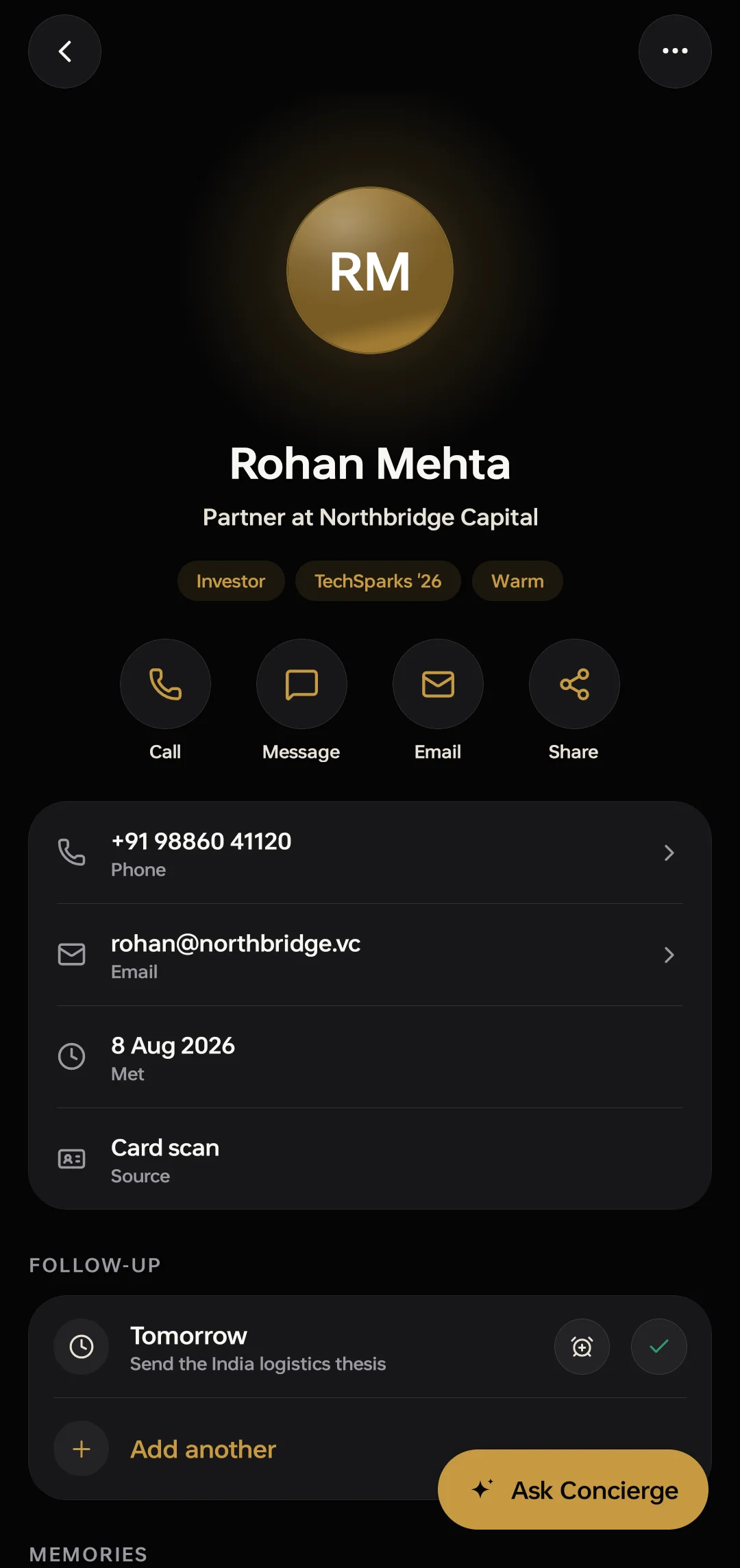
Read from the card
Source · card scan
- 01A paper cardThe one you were handed. Nobody is going to ask you to type it in.
- 02The phone over itThe scanner opens on QR. Tap Paper Card and the frame turns card-shaped.
- 03Read, field by fieldName, role, company, number, address — into the editor, where you can fix anything it misread.
- 04Saved as a contactWith 8 August recorded as the day you met and "card scan" as where it came from.
Five reads a day on the free tier and unlimited on Premium. Nothing saves until you say so. And if the person in front of you already has ObjectiveDone, scan their QR and skip the reading entirely.
The memory
Never lose what was actually said.
A name and a number is the least interesting thing about someone you met. This is one contact three weeks after a conference — and almost everything on the screen was put there in under a minute, most of it by talking.
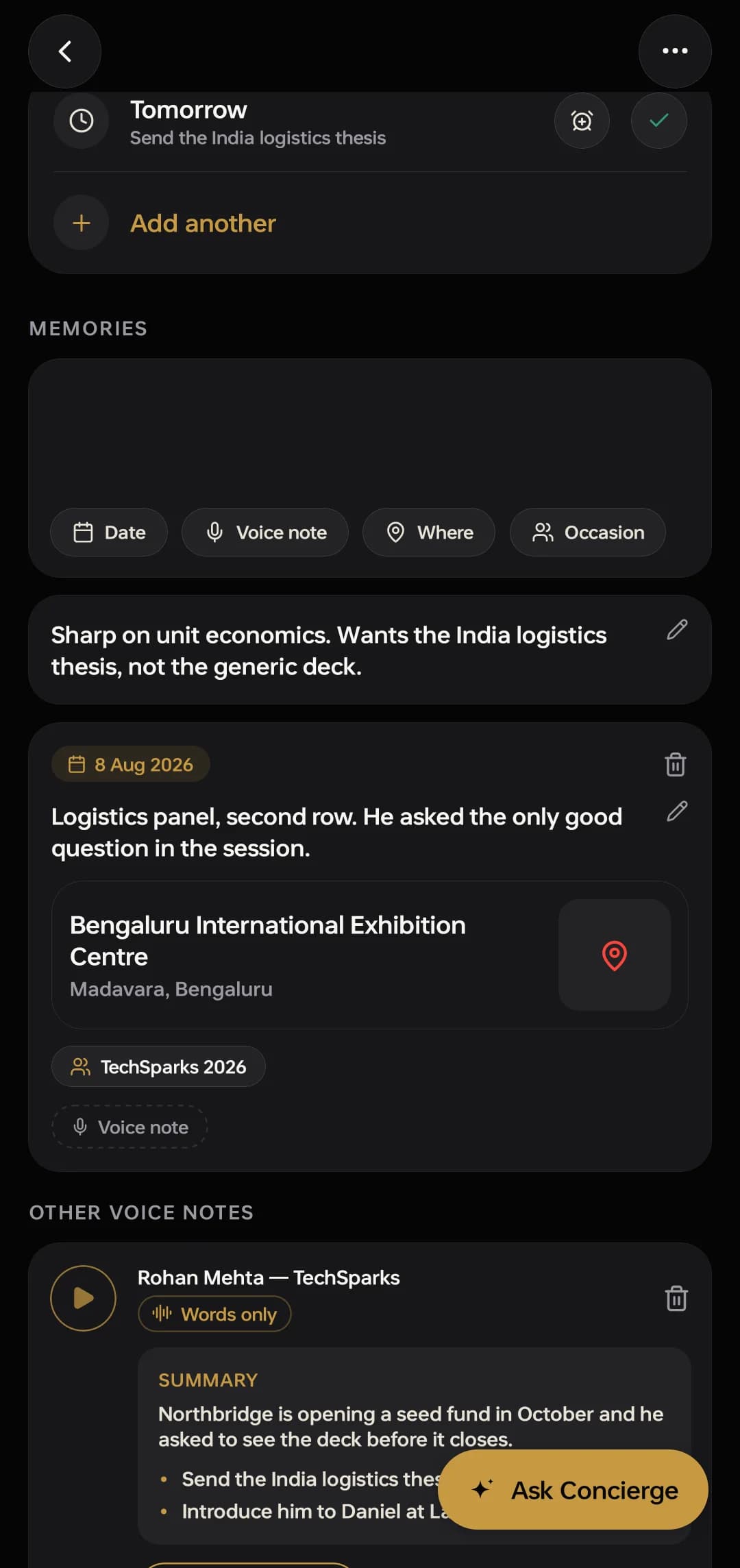
- A follow-up, set the moment you saved himTomorrow · Send the India logistics thesis. It reaches your lock screen with the app closed, which is the only time a reminder is any use. Free, on every tier.
- Your own note, in your own wordsTyped, kept as typed, and searchable across the whole address book. Nothing summarised it or improved it.
- A memory with a date, a place and an occasion8 August 2026, Bengaluru International Exhibition Centre, TechSparks 2026. Six months later, that is how you find him again — you will remember the room before you remember the name.
- A voice memo that turned into wordsRecorded on the walk back to the car. The summary and the two things you said you would do were taken out of the recording. Recording is free at sixty seconds a take; the transcript, the summary and the action items are Premium.
The Concierge
It answers from your own records, and it will not invent one.
Not a chatbot that knows the internet. It knows the people you have met, because your own records are the only thing it is allowed to read.
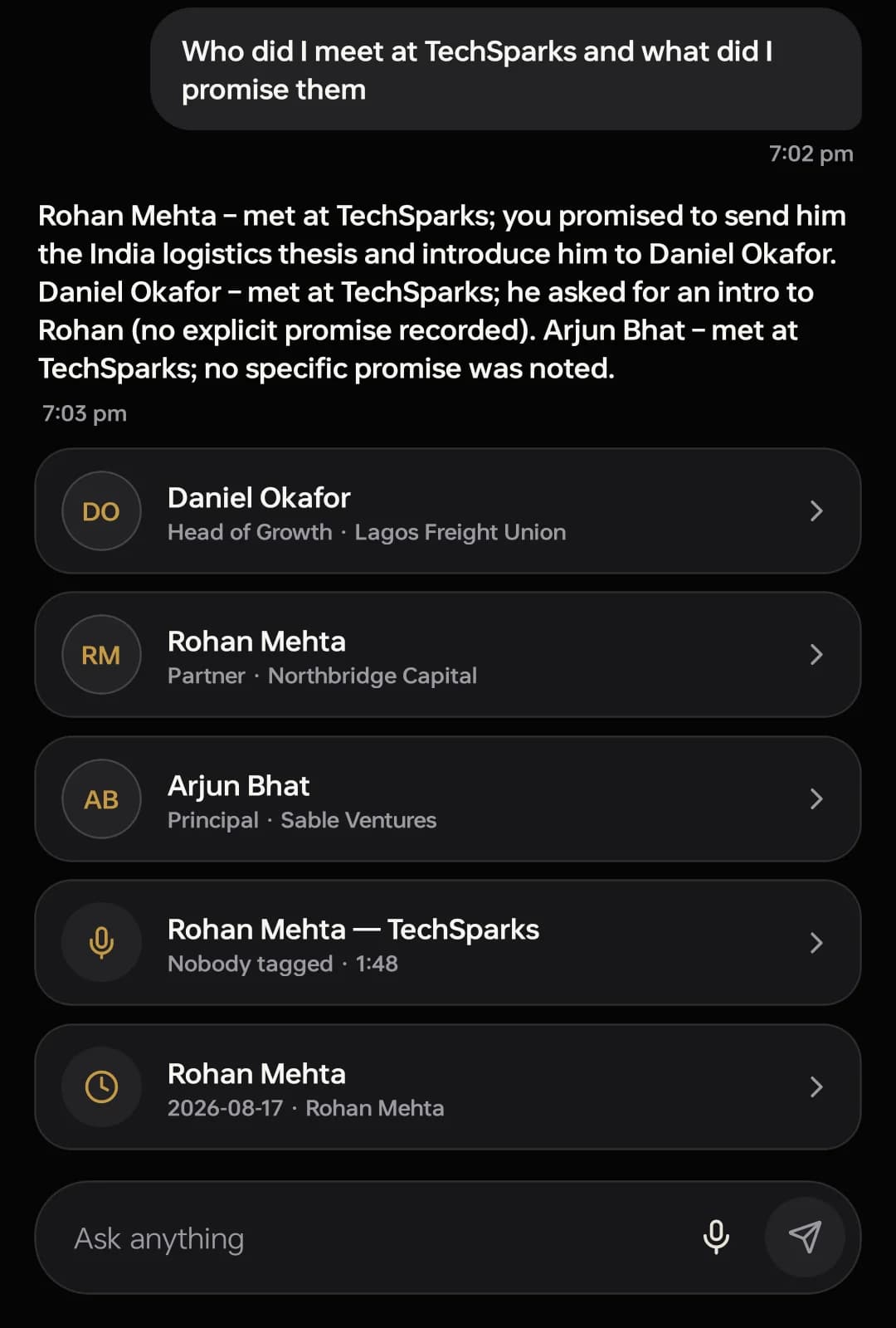
It wrote“Daniel Okafor — met at TechSparks; he asked for an intro to Rohan (no explicit promise recorded).”
Asked who was met and what was promised, it named three people and what was owed to each. For the one where nothing had been promised it wrote no explicit promise recorded instead of producing a plausible commitment — which you would have acted on. An assistant that invents an obligation on your behalf is worse than no assistant at all.
- Where it looksYour contacts, your notes, your memories and your voice memos. Not the internet, and not anybody else’s address book.
- What it showsThe records behind the answer, listed under it — here three contacts, a voice note and a reminder. Each one opens.
- How you askTyped, or spoken. There is a microphone in the same box as the send button.
- What it costsPremium. It is one of the three things on this page that cost real money to run.
In a browser
The same account, without the phone.
Connect is a phone app first. There is a web version on its own address, and it is honest about where it has got to.
In build
The same sign-in and the same contacts, on a laptop. It is in build — the phone is the finished product today, and the web app is following it. The part of Connect that has always worked in a browser is the card you hand over: whoever you give it to opens it with no app, no signup and no account.
What it costs
Two tiers for one person, and two conversations for a team.
What costs money is what costs money to run: reading cards from photographs past the daily allowance, turning speech into text, and the Concierge. The rest is free, the free tier is not a trial, and nothing here has a checkout behind it.
| What is being compared | Free ₹0forever The whole card, the whole address book, and no clock on any of it. Where to get ConnectNot a trial. It does not expire and it never asks for a card. | Premium ₹7,099/ 6 months The parts that cost real money to run: reading, listening, and answering. Or ₹12,599 for a year. Get ConnectPrices include GST. Bought inside the app through Google Play or the App Store, and cancelled there. |
|---|---|---|
| Cards live at a time | Five | Five, the same |
| Reading a paper card | Three a day | Three a day, then about 129 more a week |
| One recording | 60 seconds | 2 hours |
| Recordings kept | 60 minutes | No limit on what is kept |
| Turning a memo into text | Not included | About 105 minutes a week, with summary and action items |
| The AI Concierge | Not included | About 300 questions a week, across every contact |
Contacts, tags, imports, exports, reminders and lock-screen notifications have no tier limit. Free card reads reset every day; Premium’s AI allowance renews every Monday. A recording always saves what it caught.
Business
Priced with you
Premium for a whole team, billed together. Connect has no seat mechanism in the app, so we set it up with you.
Talk to usThe CRM
From ₹999/ month
A separate product for companies, priced per workspace. Every workspace starts with 14 days free.
See the CRM plansPrices in Indian rupees, GST included. Connect Premium is bought inside the app through Google Play or the App Store, which show the price for your country. The CRM is bought by a company on the web, never in an app.
ObjectiveDone's CRM is a separate product, sold to companies for their teams, from ₹999 a month per workspace. A Connect plan does not include it and a CRM workspace does not include Connect Premium.
Where it stops
What it does not do.
This band is the reason to believe the rest of the page. Five things Connect does not do, written down here rather than found out later.
A statement of limits
Every line struck through below is a sentence this page will not write about Connect. The sentence under it is the one that is true today.
Not true, and not claimed here:
Signed in across all your devicesWhat is true: One phone at a time. Signing in on a new phone moves the account across and signs the old one out — nothing is lost, and everything is already there the moment you sign in.
Not true, and not claimed here:
Syncs with your calendarWhat is true: Connect neither reads nor writes a single calendar event. Its reminders are its own, and they live in the app and on your lock screen.
Not true, and not claimed here:
Add your card to Apple Wallet and Google WalletWhat is true: Built, and not switched on. Both need an issuer account rather than more engineering — Google Wallet is closed to India-registered businesses, and Apple wants a signing certificate. Until those exist, a card is handed over by QR, link or NFC.
Not true, and not claimed here:
Reminders that fire exactly on timeWhat is true: A reminder is a push notification, not an alarm clock. It reaches you with the app closed, which is the whole point, but the phone decides the exact minute — and it can be a few minutes late.
Not true, and not claimed here:
Unlimited cards, free foreverWhat is true: Free is five cards live at a time, and the database is what enforces it. Build as many as you like and put one away to bring another out. Card reading is three a day on Free; recording is sixty seconds a take. This site said “unlimited” for months, and it was wrong.
Five of them, written down before you ask rather than after. If any line here stops being true, it changes here first.— ObjectiveDone
About ObjectiveDone
Who builds this, and what happens to your address book.
You may have arrived here from the About row inside the app, so this part answers that question rather than selling you anything.
ObjectiveDone builds two products on one platform. Connect is the personal one — your card, your contacts, your notes, and it is the app this page is about. The CRM is a separate product an organisation buys for its sales team. One sign-in works across both, which is a convenience and not a bundle: a Connect plan does not include the CRM, and a CRM seat does not include Connect. Sending a contact across is your choice every time, and it copies the record rather than moving it.
Your address book is not the product. Connect makes money from subscriptions. That is the whole business model, and it is why the three answers below can be this short.
- Only you see your contacts. Contacts, notes, voice memos and reminders are private to your account and protected by the database itself, not by a filter in the app.
- Public means the card, and only the card. Your card’s link is public because that is its job. Pause it and the link stops resolving. Nothing else you keep here has a public address.
- A share-back cannot write to your book. When someone sends their details back it waits in a tray until you accept it. A stranger never lands in your address book on their own.
Getting it
On iPhone and Android.
Free to start.
Connect is free on the App Store and Google Play, and anyone can create an account. The card it makes opens in any browser, so the person you hand it to never needs the app.
Or open a live card first · support@objectivedone.com